Introduction to Docker Compose

Introduction to Docker Compose
Introduction to docker compose
Compose is a tool for defining and running multi-container Docker applications. With Compose, you use a YAML file to configure your application’s services. Then, with a single command, you create and start all the services from your configuration. To learn more about all the features of Compose, see > the list of features> . Compose works in all environments: production, staging, development, testing, as well as CI workflows. You can learn more about each case in > Common Use Cases> . Using Compose is basically a three-step process:
- Define your app’s environment with a -
Dockerfile- so it can be reproduced anywhere. - Define the services that make up your app in -
docker-compose.yml- so they can be run together in an isolated environment. - Run -
docker-compose up- and Compose starts and runs your entire app. source : - https://docs.docker.com/compose/
Install compose
1
sudo curl -L https://github.com/docker/compose/releases/download/1.20.1/docker-compose-$(uname -s)-$(uname -m) -o /usr/local/bin/docker-compose
Set permission executable
1
sudo chmod +x /usr/local/bin/docker-compose
Check docker-compose version
1
sudo docker-compose — version
Compose and Wordpress
create directory my_wordpress and enter the directory
1
2
mkdir /lab/my_wordpress
cd /lab/my_wordpress
create docker-compose.yml file
1
version: '3.2'
1
2
3
4
5
6
7
8
9
10
11
services:
   db:
     image: mysql:5.7
     volumes:
       - dbdata:/var/lib/mysql
     restart: always
     environment:
       MYSQL_ROOT_PASSWORD: somewordpress
       MYSQL_DATABASE: wordpress
       MYSQL_USER: [username]
       MYSQL_PASSWORD: [password]
1
2
3
4
5
6
7
8
9
10
11
12
13
wordpress:
     depends_on:
       - db
     image: wordpress:latest
     ports:
       - "8000:80"
     restart: always
     environment:
       WORDPRESS_DB_HOST: db:3306
       WORDPRESS_DB_USER: [username]
       WORDPRESS_DB_PASSWORD: [password]
volumes:
    dbdata:
run compose
1
sudo docker-compose up -d
View container
1
sudo docker container ls
Access Wordpress from browser
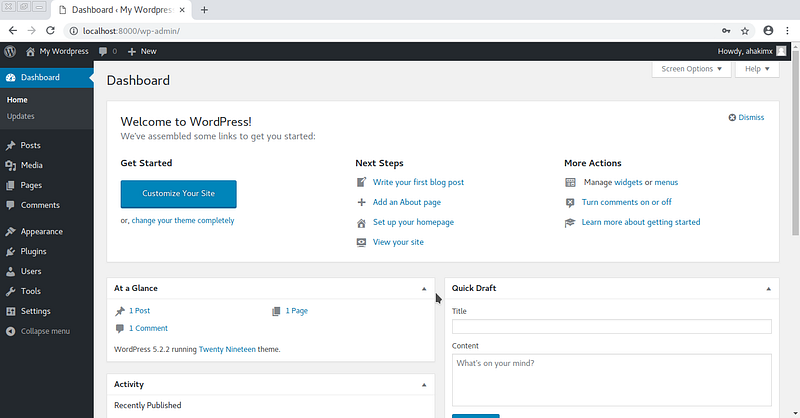 Thanks.
Reference:
Overview of Docker ComposeLooking for Compose file reference? Find the latest version here. Compose is a tool for defining and running…docs.docker.com