Building a RAG-Powered SRE Knowledge Base With Amazon Bedrock and Confluence Integration
This is a full end-to-end RAG (Retrieval-Augmented Generation) system that lets SRE engineers query their operational knowledge base using natural language — through a Slack bot.
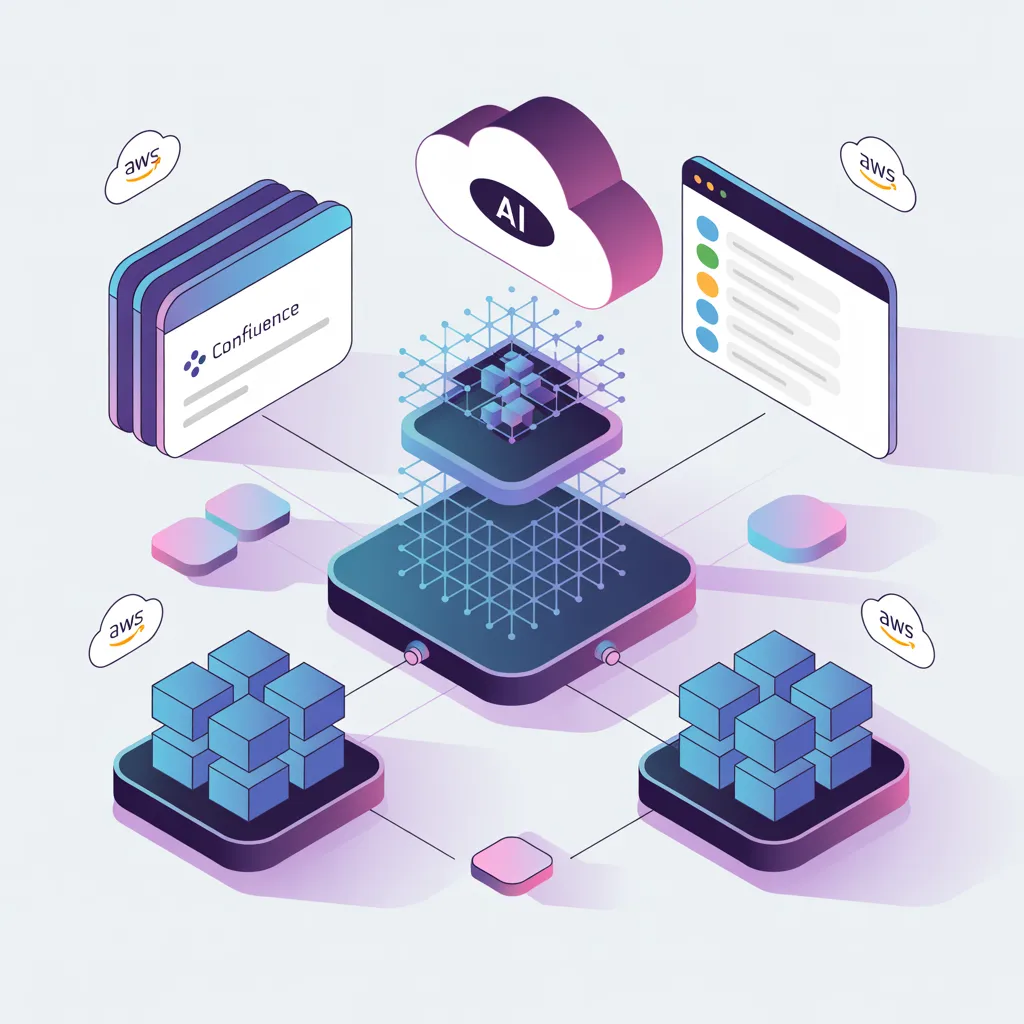
Building a RAG-Powered SRE Knowledge Base With Confluence Integration
What This Project Does
This is a full end-to-end RAG (Retrieval-Augmented Generation) system that lets SRE engineers query their operational knowledge base using natural language through a Slack bot. It indexes both local markdown runbooks and Confluence Cloud pages, generates vector embeddings with Amazon Bedrock, stores them in OpenSearch Serverless, and uses an LLM to synthesize answers with source references.
An engineer types /ask-sre How to fix CrashLoopBackOff? in Slack and gets back a contextual answer pulled from runbooks and Confluence pages, with clickable links to the original sources.
Architecture
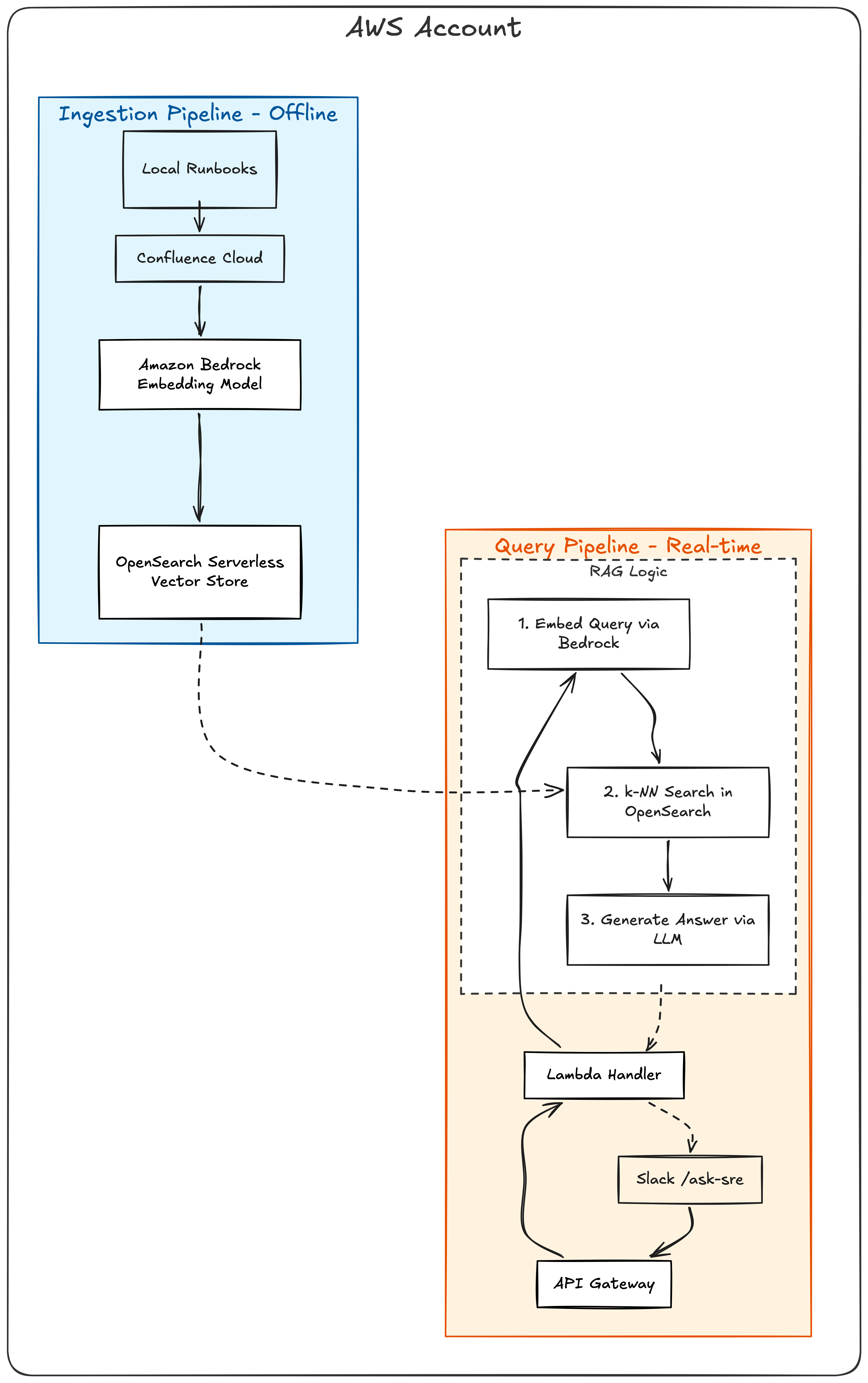
Stack
| Component | Technology |
|---|---|
| Embedding Model | Amazon Bedrock — Titan Embed Text v2 (1024 dimensions) |
| LLM | Amazon Bedrock — Nova Lite |
| Vector Store | OpenSearch Serverless (FAISS, cosine similarity) |
| Compute | AWS Lambda (Python 3.12) |
| API | API Gateway HTTP API |
| Infrastructure | Terraform |
| Confluence | REST API v2, Basic Auth |
| HTML Parsing | BeautifulSoup4 |
| Bot | Slack slash command (/ask-sre) |
| Secrets | AWS Secrets Manager (Slack credentials) |
Prerequisites
- AWS account with Bedrock model access enabled
- Terraform >= 1.7
- Python 3.12+
- AWS CLI configured
- A Confluence Cloud instance (for the connector part)
- A Slack workspace where you can create apps
Part 1: Infrastructure Setup
Step 1 Enable Bedrock Model Access
Before anything else, you need to enable the AI models in your AWS account:
- Open AWS Console > Amazon Bedrock > Model access
- Click Manage model access
- Enable these two models:
- Amazon Titan Text Embeddings V2, for converting text to vectors
- Amazon Nova Lite, for generating answers from retrieved context
- Wait for status to show “Access granted” (usually takes a few minutes)
Use us-east-1 region — it has the broadest model availability.
Step 2 — Configure Terraform Variables
1
2
cd terraform
cp terraform.tfvars.example terraform.tfvars
Edit terraform.tfvars:
1
2
3
4
5
6
7
8
9
10
11
12
13
aws_region = "us-east-1"
lab_name   = "rag-knowledge-base-sre"

# Bedrock models
embedding_model_id = "amazon.titan-embed-text-v2:0"
llm_model_id       = "amazon.nova-lite-v1:0"

# OpenSearch index
index_name = "sre-runbooks"

# Leave empty for now, we'll add Slack creds later
slack_signing_secret = ""
slack_bot_token      = ""
Step 3 — Deploy Infrastructure With Terraform
1
./scripts/deploy.sh
Or manually:
1
2
3
cd terraform
terraform init
terraform apply
This creates:
- OpenSearch Serverless vector collection (takes 3-5 min to become ACTIVE)
- Lambda function for the RAG query handler
- API Gateway HTTP API with
POST /queryroute - S3 bucket for runbook storage
- IAM roles with Bedrock and OpenSearch access
After deploy, note the outputs:
1
2
terraform output -raw opensearch_endpoint   # You'll need this for ingestion
terraform output -raw api_endpoint          # For testing queries via curl
Cost note: OpenSearch Serverless has minimum OCU charges (~$0.48/hr). Run
./scripts/destroy.shwhen you’re done to avoid unexpected bills.
Step 4 — Install Python Dependencies
1
pip install -r src/requirements.txt
Dependencies:
1
2
3
4
5
beautifulsoup4==4.12.3
boto3==1.34.100
opensearch-py==2.5.0
requests==2.31.0
requests-aws4auth==1.2.3
Step 5 — Write Your Runbooks
Create markdown runbooks in src/runbooks/. Each runbook follows a standard SRE format:
src/runbooks/
├── 01-kubernetes-pod-crashloop.md
├── 02-high-cpu-utilization.md
├── 03-database-connection-pool-exhaustion.md
├── 04-ssl-certificate-expiry.md
├── 05-postmortem-payment-service-crashloop.md
├── 06-postmortem-database-connection-pool-outage.md
├── 07-postmortem-ssl-certificate-expiry.md
└── 08-postmortem-high-cpu-autoscaling-failure.md
Each runbook has: Severity, Symptoms, Root Causes, Diagnosis Steps (with actual commands), Remediation Actions, Escalation, and Prevention. Postmortems have: Timeline, Root Cause, Impact, Action Items, and Lessons Learned.
Step 6 — Ingest Runbooks Into OpenSearch
1
2
3
OPENSEARCH_ENDPOINT=$(cd terraform && terraform output -raw opensearch_endpoint)

python3 src/ingest.py --endpoint "$OPENSEARCH_ENDPOINT"
This runs the full pipeline:
- Reads all
.mdfiles fromsrc/runbooks/ - Chunks each document into ~500 character passages with 50 char overlap
- Generates 1024-dimension embeddings via Bedrock Titan Embed v2
- Creates a k-NN index in OpenSearch and indexes all chunks with metadata
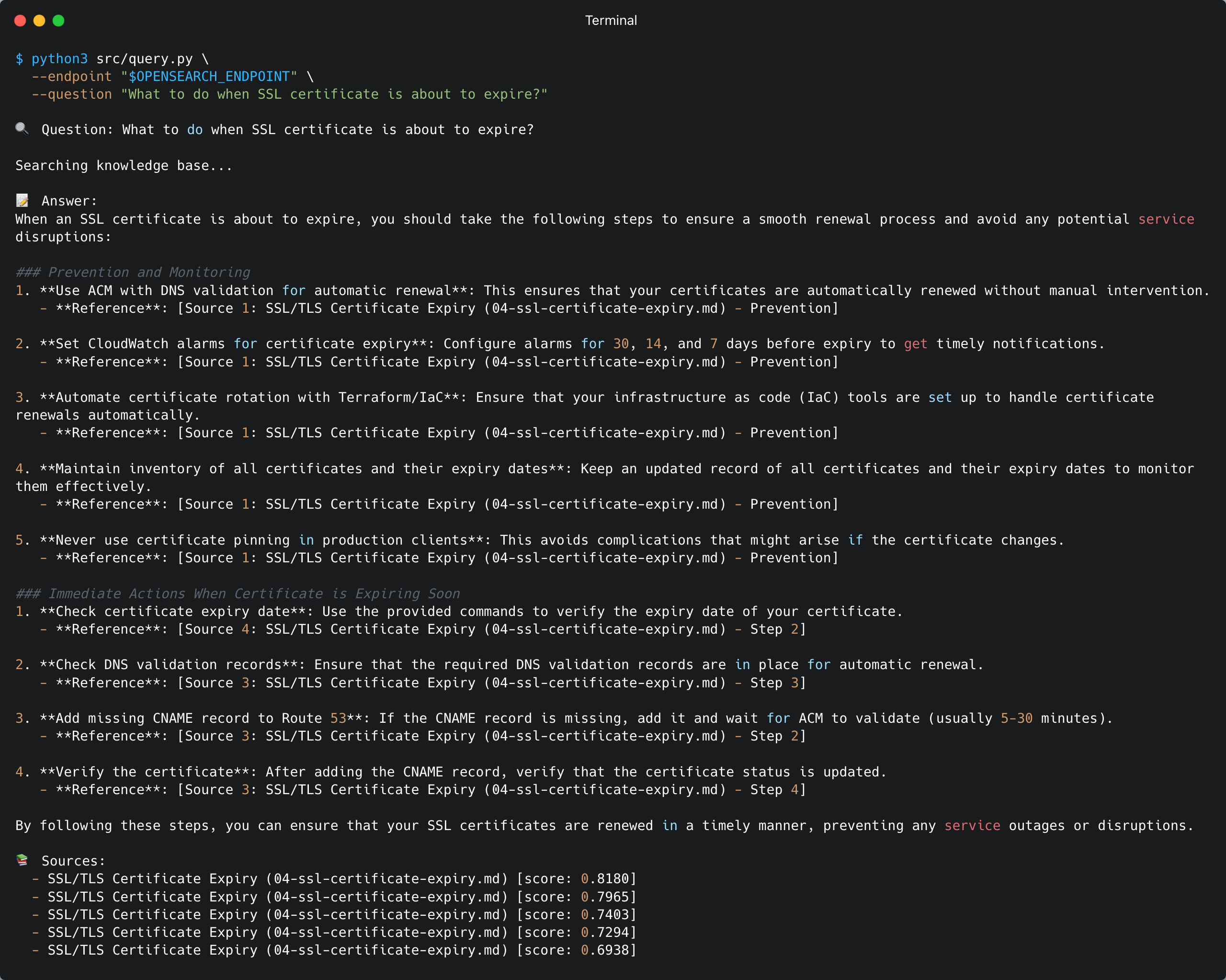
Step 7 — Test the Query Pipeline
Via CLI:
1
2
3
python3 src/query.py \
  --endpoint "$OPENSEARCH_ENDPOINT" \
  --question "What should I do when CPU utilization is high?"
Via API Gateway:
1
2
3
4
5
API_URL=$(cd terraform && terraform output -raw api_endpoint)

curl -X POST "$API_URL" \
  -H "Content-Type: application/json" \
  -d '{"question": "What should I do when CPU utilization is high?"}'
Part 2: Slack Bot Setup
Step 8 — Create a Slack App
- Go to api.slack.com/apps → Create New App → From scratch
- Name it
SRE Knowledge Bot, select your workspace - Navigate to Slash Commands → Create New Command:
| Field | Value |
|---|---|
| Command | /ask-sre |
| Request URL | (fill in after terraform apply — see Step 10) |
| Short Description | Query SRE Knowledge Base |
| Usage Hint | How to fix CrashLoopBackOff? |
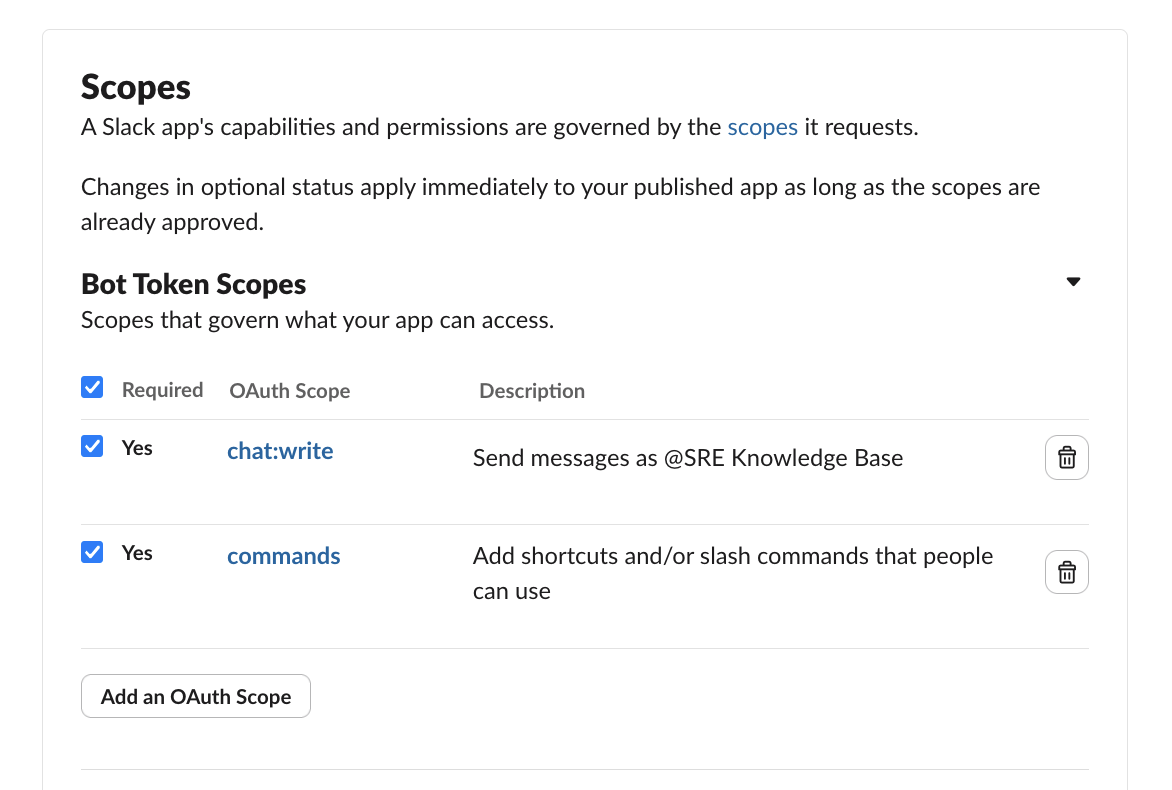
- Navigate to OAuth & Permissions → add Bot Token Scopes:
commandschat:write
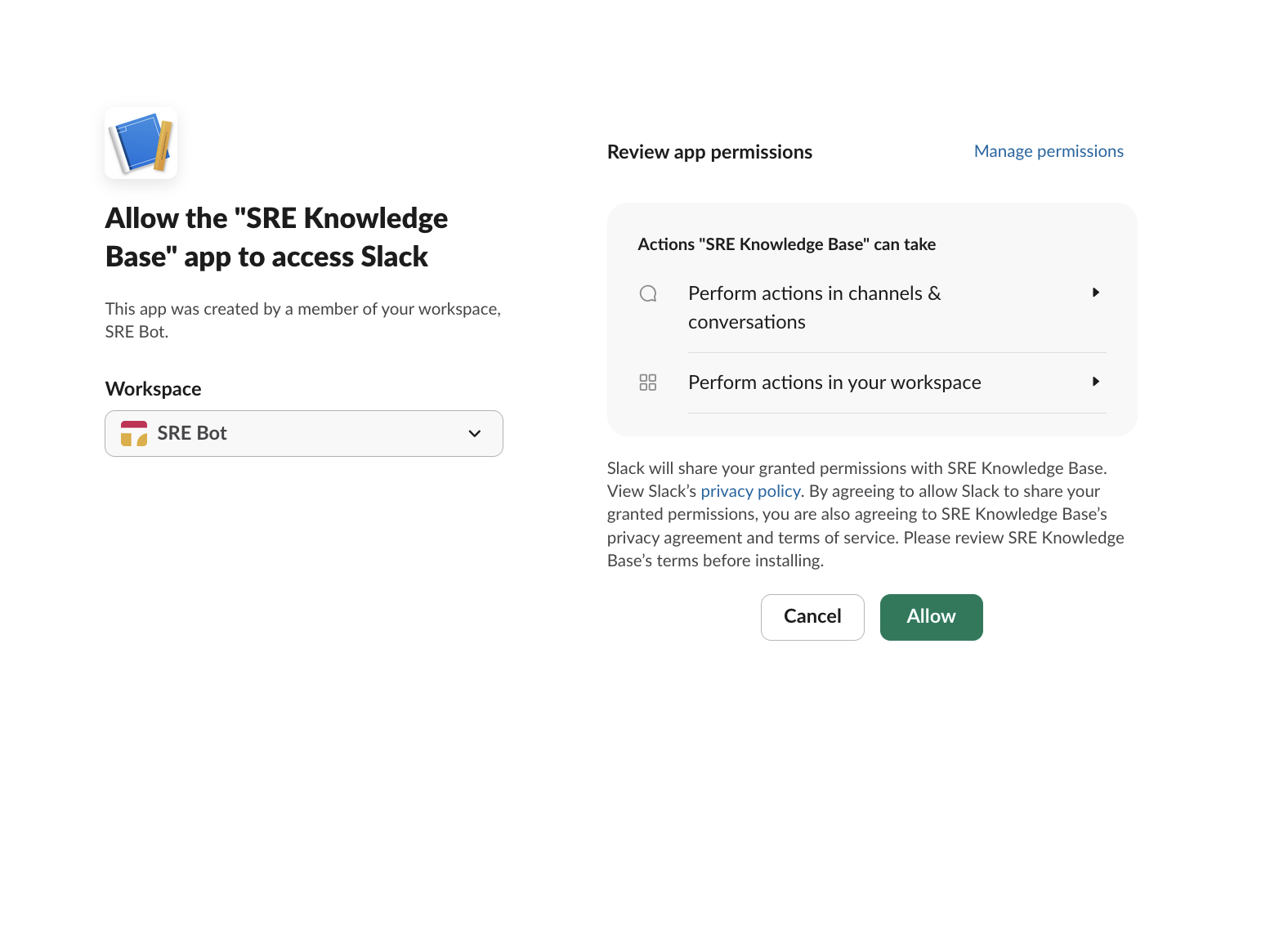
- Click Install to Workspace → Allow
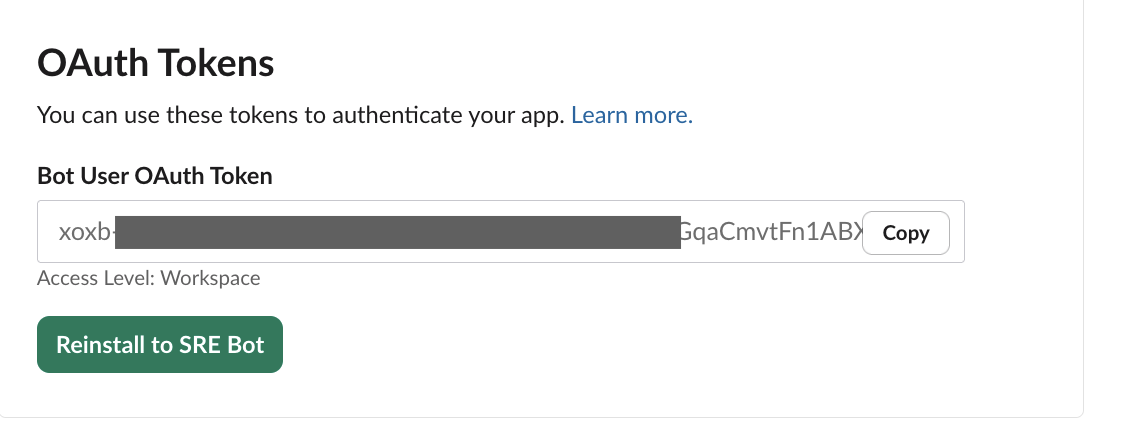
- Copy the Bot User OAuth Token (
xoxb-...) - Go to Basic Information → copy the Signing Secret
Step 9 — Add Slack Credentials to Terraform
Edit terraform/terraform.tfvars:
1
2
slack_signing_secret = "your-signing-secret"
slack_bot_token      = "xoxb-your-bot-token"
Don’t commit this file. It’s in
.gitignore. Terraform stores these in AWS Secrets Manager.
Step 10 — Deploy Slack Handler
1
2
cd terraform
terraform apply
This adds:
- Slack Handler Lambda — receives webhooks, verifies signatures, invokes RAG query
- API Gateway route
POST /slack/command - Secrets Manager secret with Slack credentials
Get the webhook URL:
1
terraform output -raw slack_webhook_url
Go back to your Slack app → Slash Commands → edit /ask-sre → paste the webhook URL as the Request URL → Save.
Step 11 — Test the Slack Bot
In Slack:
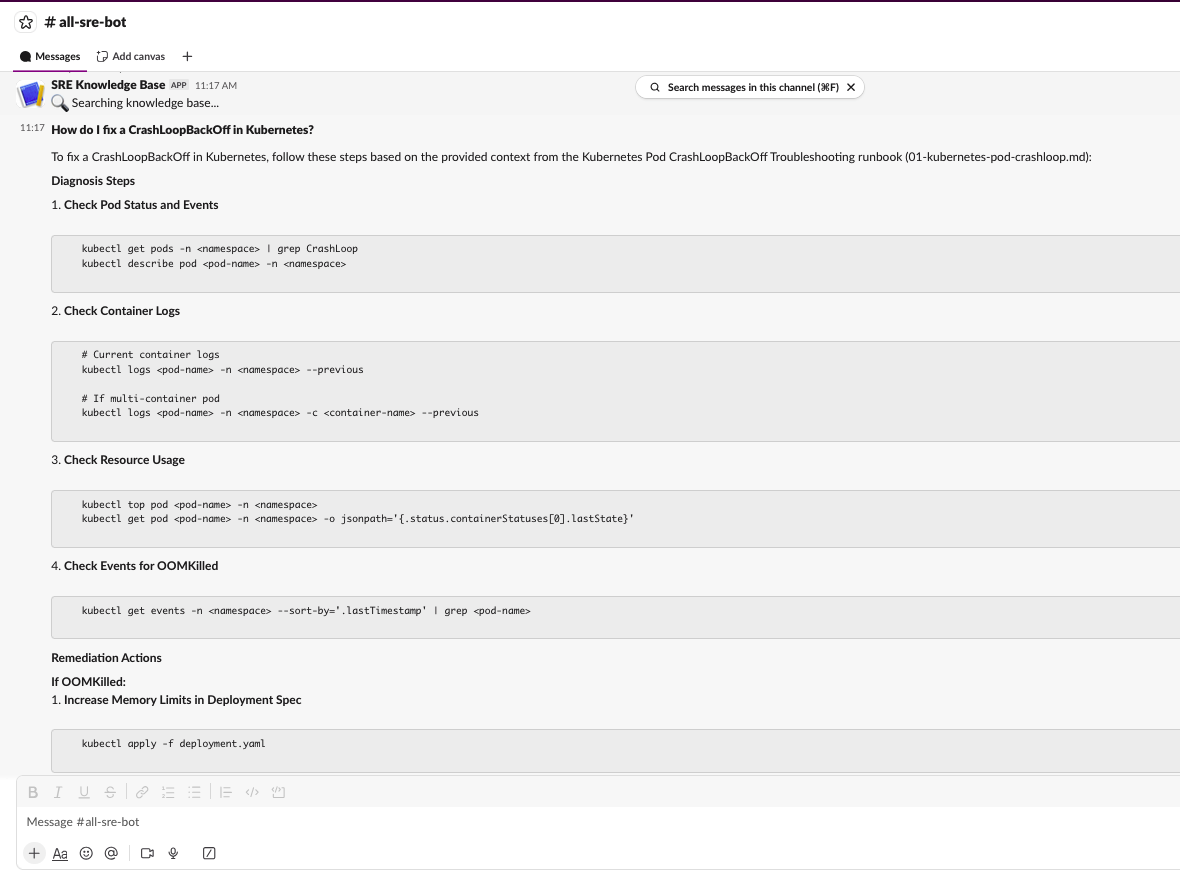
/ask-sre How to fix CrashLoopBackOff in Kubernetes?
You should see:
- An immediate “🔍 Searching knowledge base…” acknowledgment
- A full answer with source references a few seconds later
Part 3: Confluence Connector
This is where it gets interesting. The base RAG pipeline only reads local markdown files. The Confluence connector adds a second data source.
Step 12 — Get Your Confluence API Token
Go to id.atlassian.com/manage-profile/security/api-tokens to create a new token.
Set environment variables:
1
2
export CONFLUENCE_USER_EMAIL="your-email@company.com"
export CONFLUENCE_API_TOKEN="your-api-token"
Step 13 — Build the Confluence Client
Create src/confluence_client.py. This handles:
- Space key → numeric ID resolution (
GET /wiki/api/v2/spaces?keys=SRE) - Cursor-based pagination through all pages
- Rate limiting with exponential backoff on 429 responses
- HTML-to-text conversion using BeautifulSoup
- Sync state management (JSON file tracking last sync per space)
The core usage:
1
2
3
4
5
6
7
8
9
10
11
12
13
from confluence_client import ConfluenceClient, html_to_text

client = ConfluenceClient(
    base_url="https://yoursite.atlassian.net",
    email=os.environ["CONFLUENCE_USER_EMAIL"],
    api_token=os.environ["CONFLUENCE_API_TOKEN"],
)

pages = client.fetch_pages(space_key="SRE")

for page in pages:
    clean_text = html_to_text(page["body_html"])
    # ready for chunking and embedding
Each page comes back as:
1
2
3
4
5
6
7
8
{
    "id": "229628",
    "title": "High CPU Utilization Runbook",
    "space_key": "SRE",
    "body_html": "<p>Content...</p>",
    "last_modified": "2024-11-15T10:30:00Z",
    "source_url": "https://yoursite.atlassian.net/wiki/spaces/SRE/pages/229628/High+CPU+Utilization+Runbook"
}
The full implementation is ~300 lines. See the source code for the complete file.
Step 14 — Extend the CLI for Multi-Source Ingestion
The updated ingest.py supports these new flags:
| Flag | Required | Default | Description |
|---|---|---|---|
--source | No | runbook | runbook, confluence, or all |
--confluence-url | When source=confluence/all | — | Confluence Cloud base URL |
--confluence-space | When source=confluence/all | — | Space key (e.g., SRE) |
--full-sync | No | false | Ignore sync state, fetch all pages |
--delete-index | No | false | Delete OpenSearch index before ingesting |
The pipeline validates that all required args and env vars are present before starting. If anything is missing, it lists everything that’s needed in one error message.
Step 15 — Update the OpenSearch Index Mapping
The index mapping now includes metadata fields for Confluence documents:
1
2
3
4
"doc_type": {"type": "keyword"},              # "runbook" or "confluence"
"confluence_page_id": {"type": "keyword"},     # Confluence page ID
"confluence_space_key": {"type": "keyword"},   # Space key
"source_url": {"type": "keyword"},             # Full clickable URL
These fields enable filtering by source type and rendering clickable links in Slack.
Step 16 — Update the Query Pipeline and Slack Formatter
Two changes to make Confluence links clickable in Slack:
query.py— fetchsource_urlanddoc_typefrom OpenSearch alongside the existing fieldslambda_handler.py— passsource_urlthrough to the Slack formatter (this was a bug I hit — the handler was dropping the field)slack_formatter.py— render<url|title>for Confluence sources, ``filename`` for runbooks
Step 17 — Deploy and Ingest Everything
Deploy the updated Lambda functions:
1
2
cd terraform
terraform apply
Delete the old index and re-ingest from both sources:
1
2
3
4
5
6
7
8
9
OPENSEARCH_ENDPOINT=$(terraform output -raw opensearch_endpoint)

python3 ../src/ingest.py \
  --endpoint "$OPENSEARCH_ENDPOINT" \
  --source all \
  --confluence-url https://yoursite.atlassian.net \
  --confluence-space SRE \
  --full-sync \
  --delete-index
Expected output:
1
2
3
4
5
6
7
8
9
10
11
12
13
14
15
16
17
18
19
20
21
22
23
24
25
🗑️  Deleting index 'sre-runbooks'...
  Deleted index 'sre-runbooks'

[1/4] Loading documents...
  Loaded: 01-kubernetes-pod-crashloop.md
  Loaded: 02-high-cpu-utilization.md
  ...
  Loaded: High CPU Utilization Runbook (ID: 229628)
  Loaded: Database Connection Pool Exhaustion (ID: 163849)
  ...

[2/4] Chunking 8 documents...
  Generated 48 chunks

[3/4] Generating embeddings via Bedrock...
  Embedded all 48 chunks

[4/4] Indexing into OpenSearch...
  Created index: sre-runbooks
  Indexed 48 documents into 'sre-runbooks'

✅ Ingestion complete!
  Runbooks processed: 4
  Confluence pages processed: 4
  Total chunks indexed: 48
Wait 2-3 minutes after a fresh index before testing. OpenSearch Serverless has eventual consistency — data needs time to become searchable.
Step 18 — Test in Slack
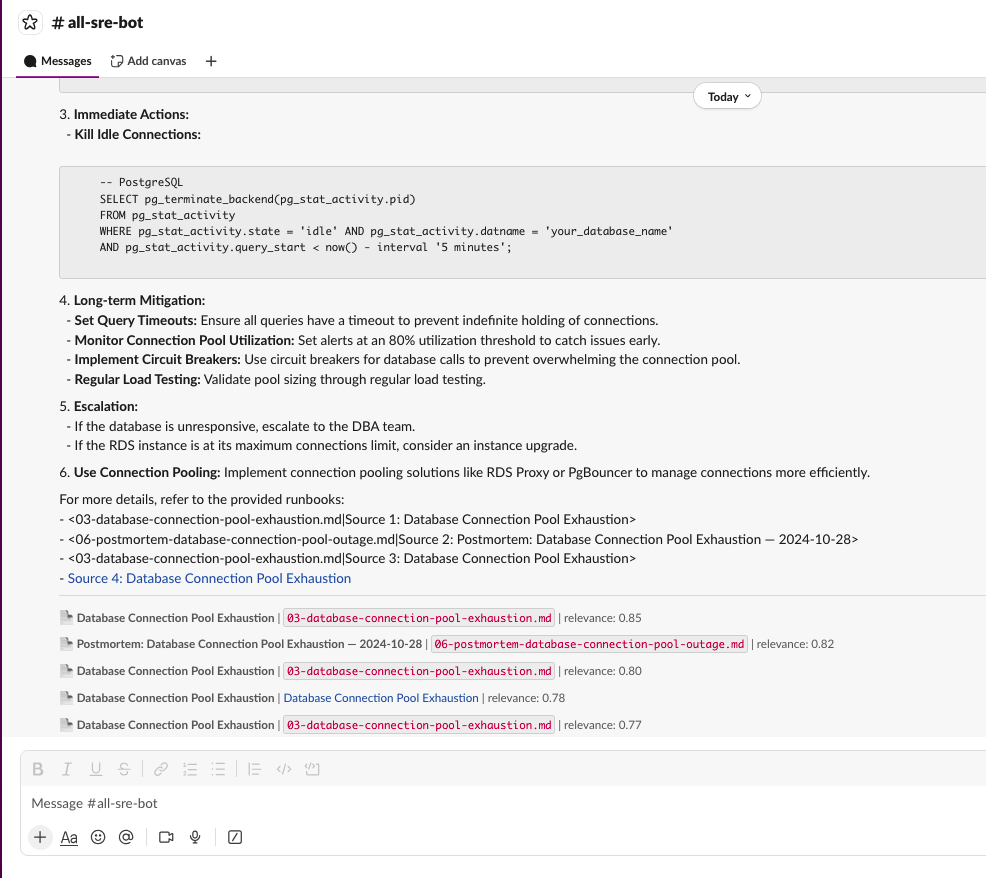
/ask-sre How to handle database connection pool exhaustion?
Results now show both sources:
- Local runbooks with filename references
- Confluence pages with clickable links to the original page
Cleanup
When you’re done, destroy everything to stop charges:
1
./scripts/destroy.sh
Or manually:
1
2
cd terraform
terraform destroy
Verify in AWS Console that OpenSearch collection, Lambda functions, and API Gateway are deleted.